Home Control Panel
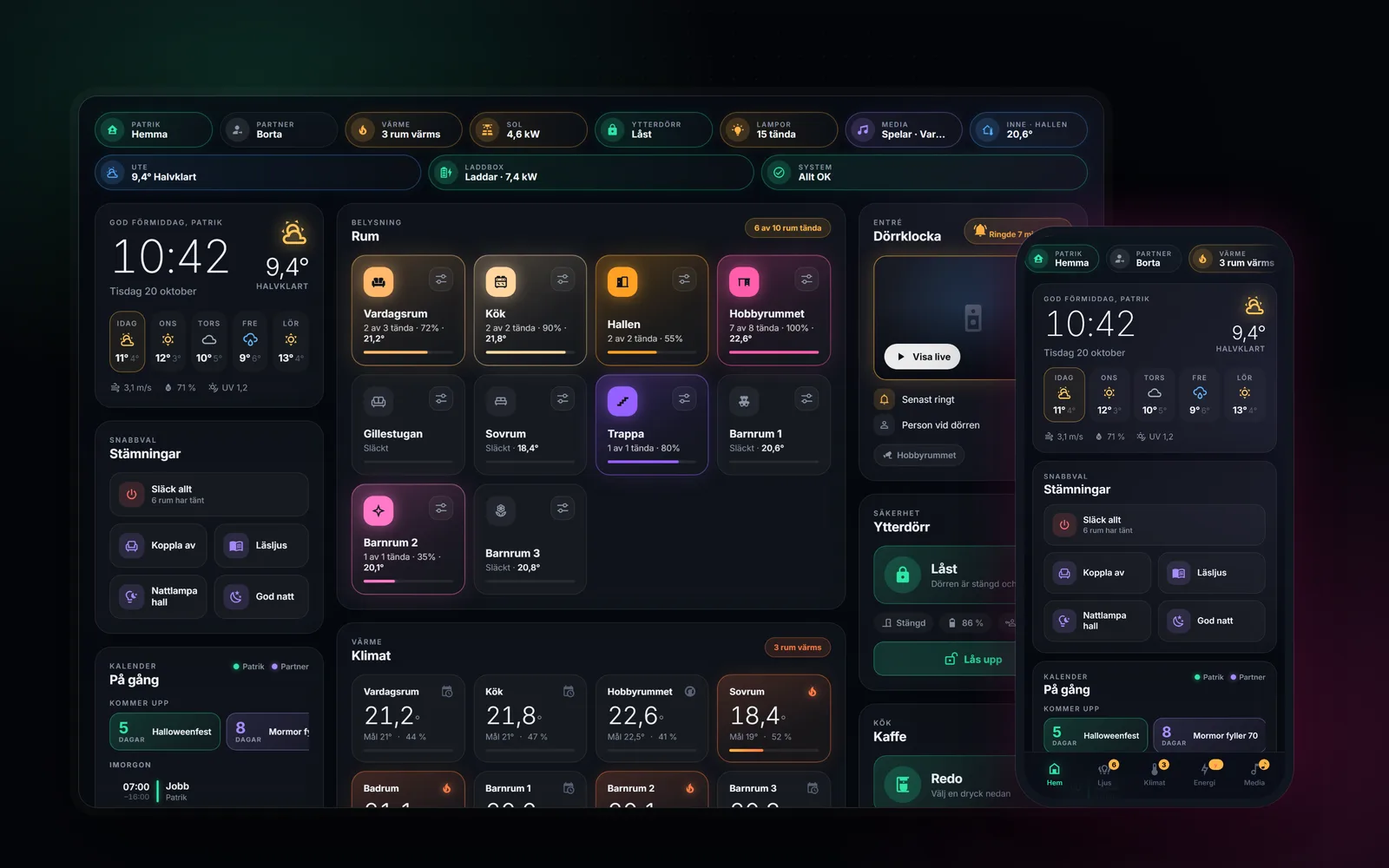
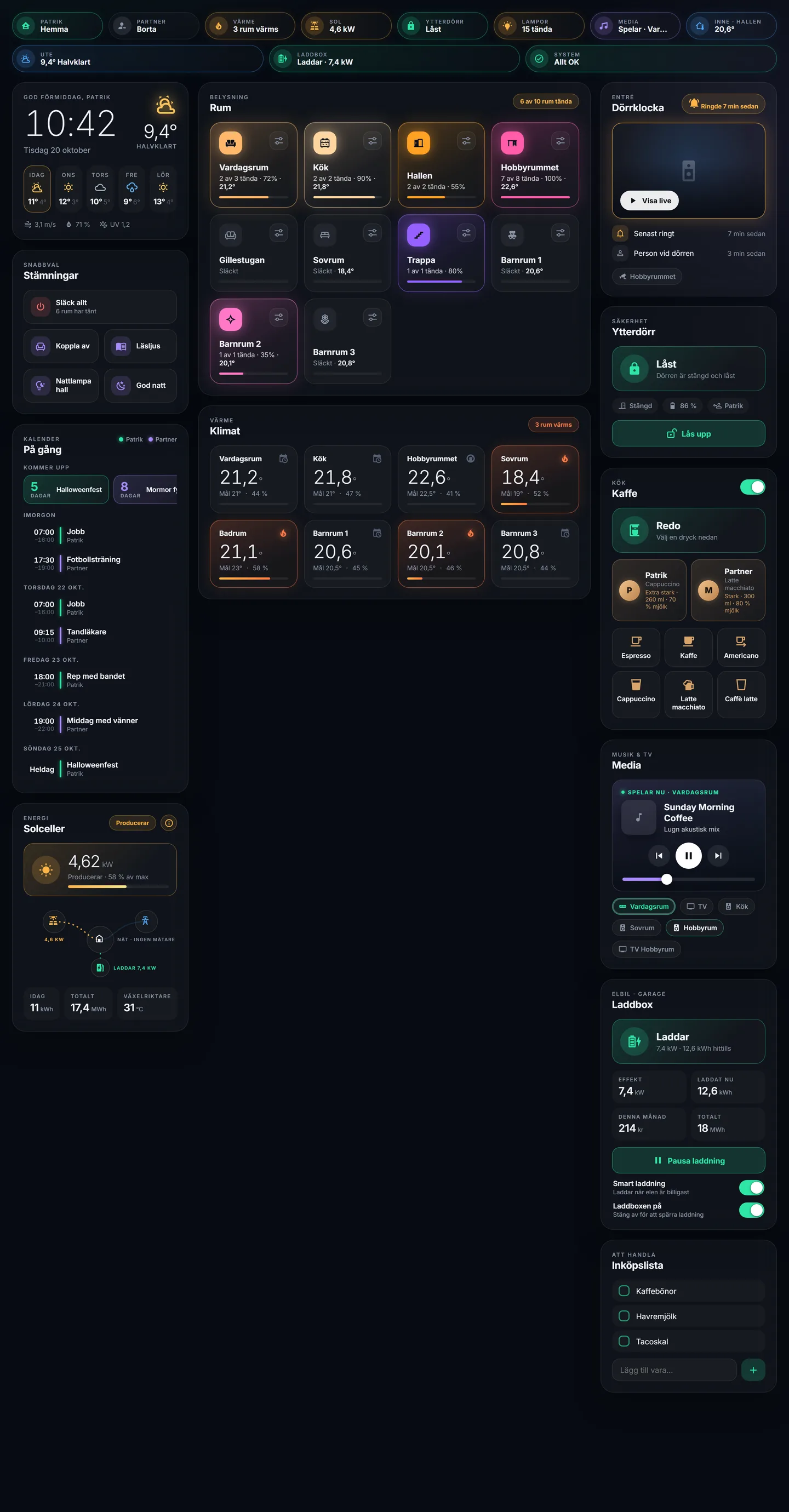
A custom control panel for the whole house, built on Home Assistant. It brings lights, heating, the front door, EV charging, solar power, the doorbell camera and the coffee machine into one calm, glanceable interface – designed for a wall-mounted tablet in the hallway, and just as usable on a phone.
Context & Purpose
Too Many Apps for One Home
Every device in the house came with its own app: one for the lights, one for the heating, one for the lock, the charger, the solar inverter, the doorbell and the coffee machine.
Each one works – but nothing works together, and none of them answers the simple question at the front door: is everything okay before I leave?
One Surface, Many Systems
Home Assistant already connects the devices. What was missing was an interface worth looking at every day.
Something that reads at a glance from across the hallway, behaves well under a thumb, and feels designed rather than assembled from default cards.
Personal Project
An ongoing personal project and learning vehicle – not a product.
As with DMAIC Companion, I write the requirements and test every step, while an AI coding assistant writes the code under clear working rules. The project grows one device at a time.
Design Principles
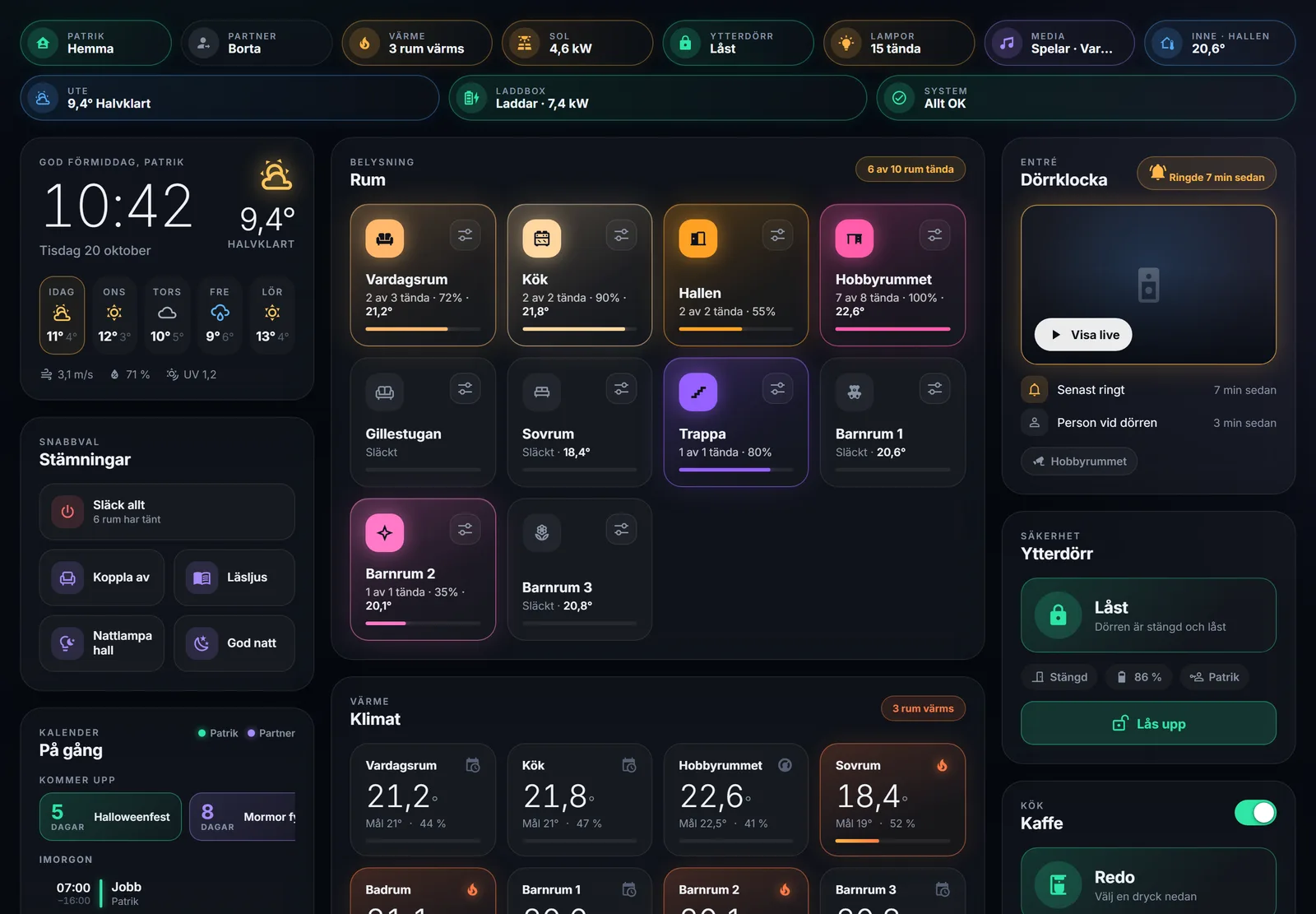
The status bar answers the important questions in one line: who is home, is the door locked, is anything heating, is the sun producing, is the car charging. Details live one tap deeper.
Room tiles glow in the actual colour and brightness of their lights. Heating zones glow warm while the radiator is working. The energy flow animates only when power is actually flowing.
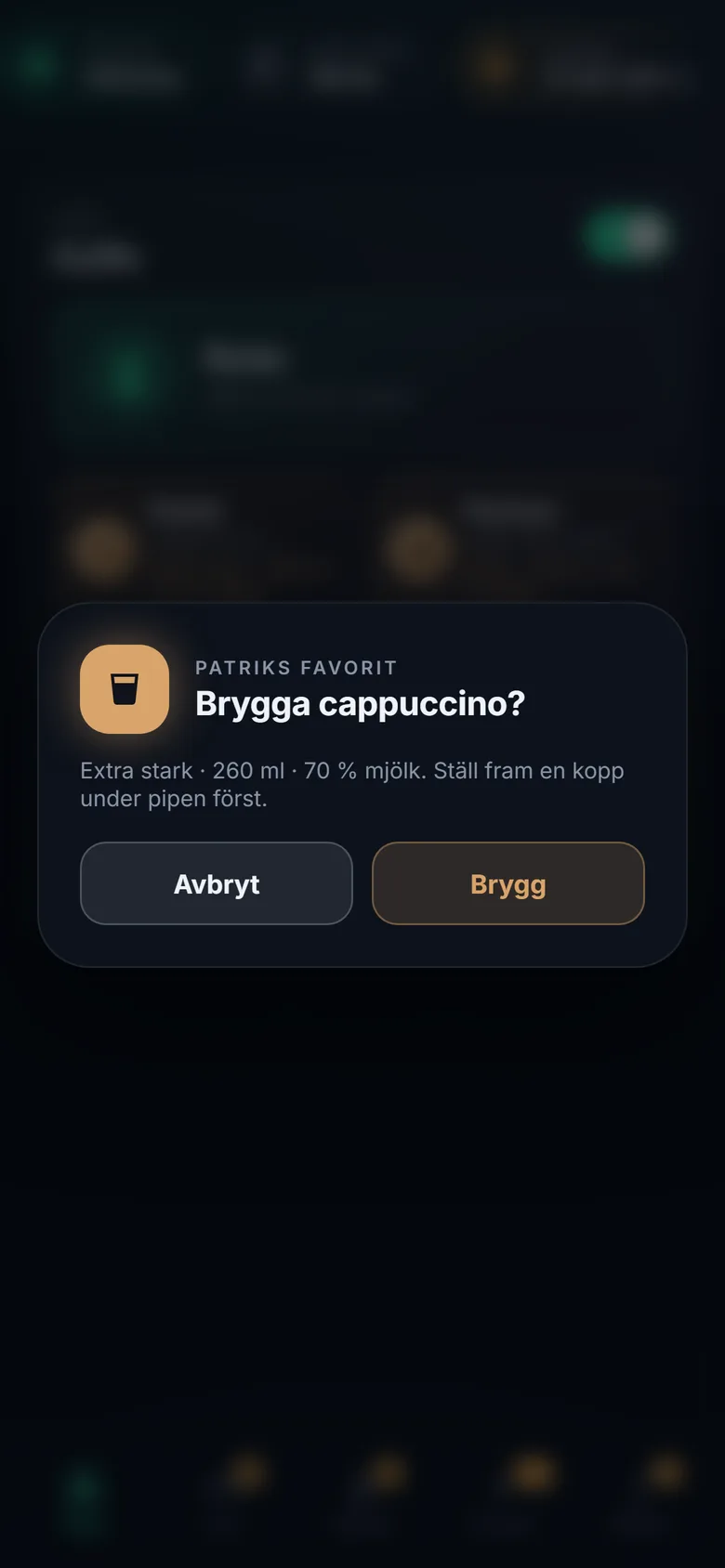
Anything with consequences asks first: unlocking the front door, starting a coffee (“place a cup under the spout first”). Slow devices are protected against double taps.
The front-door lock runs over Bluetooth and the solar inverter over the local network, so both keep working without the internet. Cloud services are used only where the manufacturer offers nothing else.
What It Does
Lights & Scenes
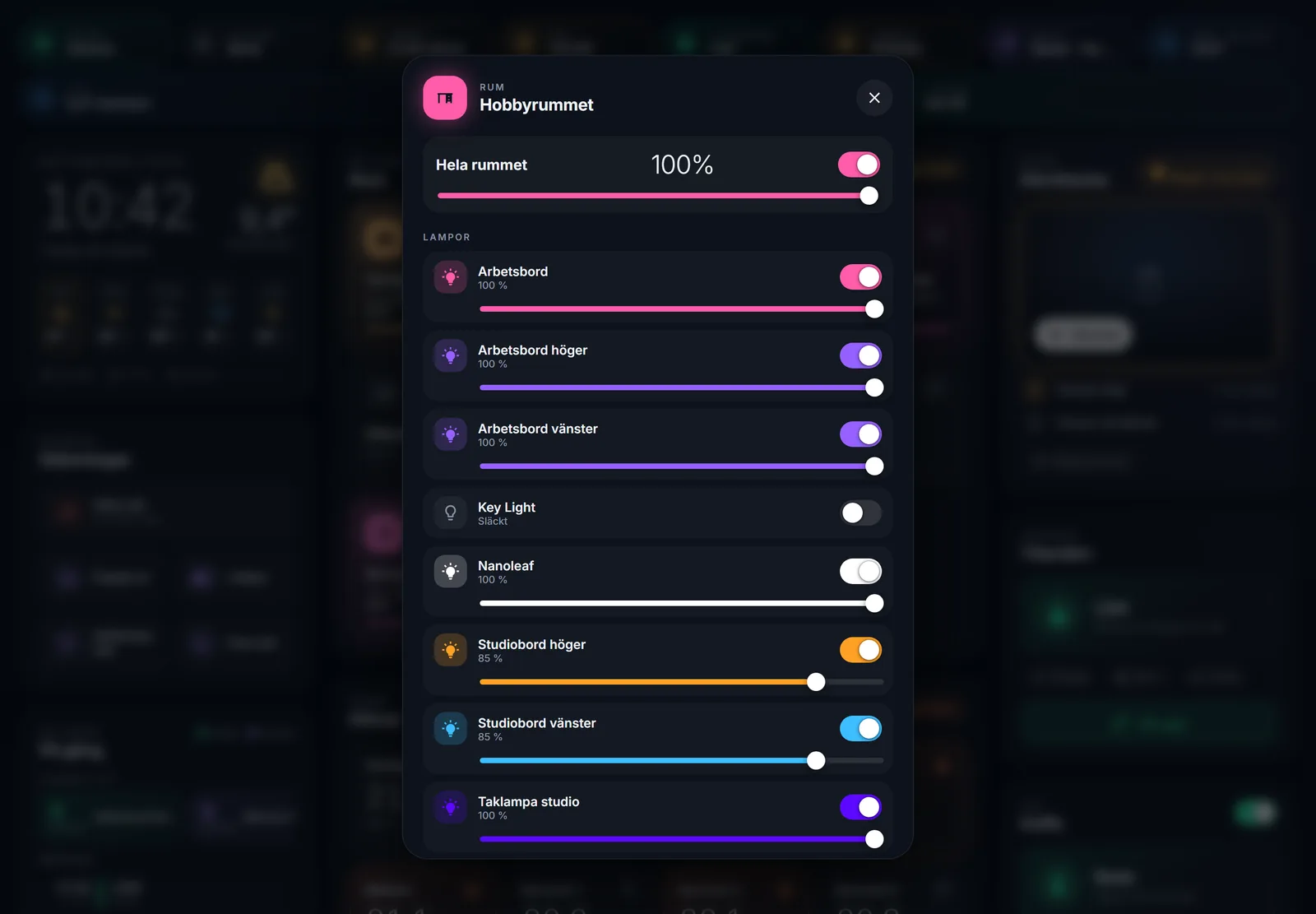
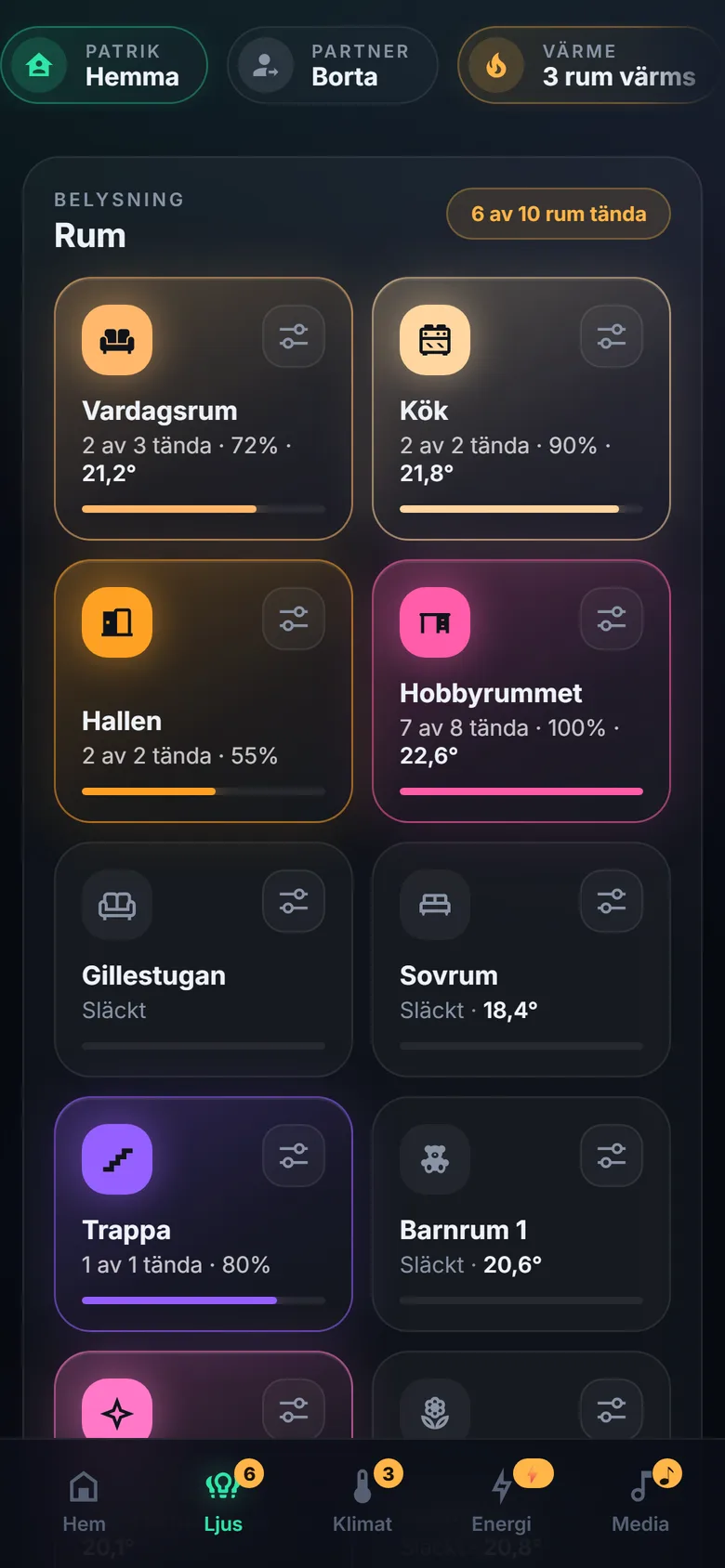
Philips HueTen rooms as tiles that toggle with one tap. A room pop-up shows every lamp with its own colour-matched dimmer, plus the room's Hue scenes. One “All off” for leaving the house.
Climate
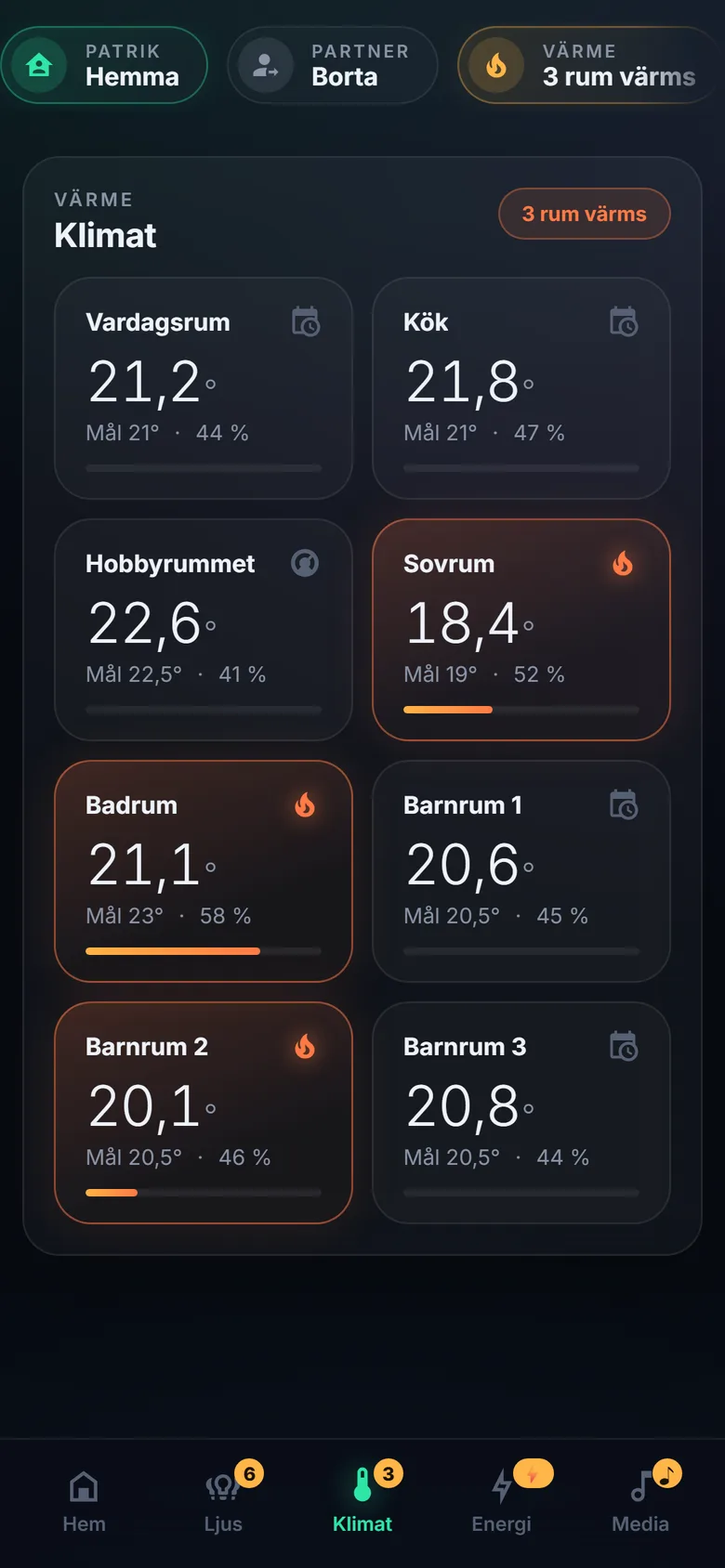
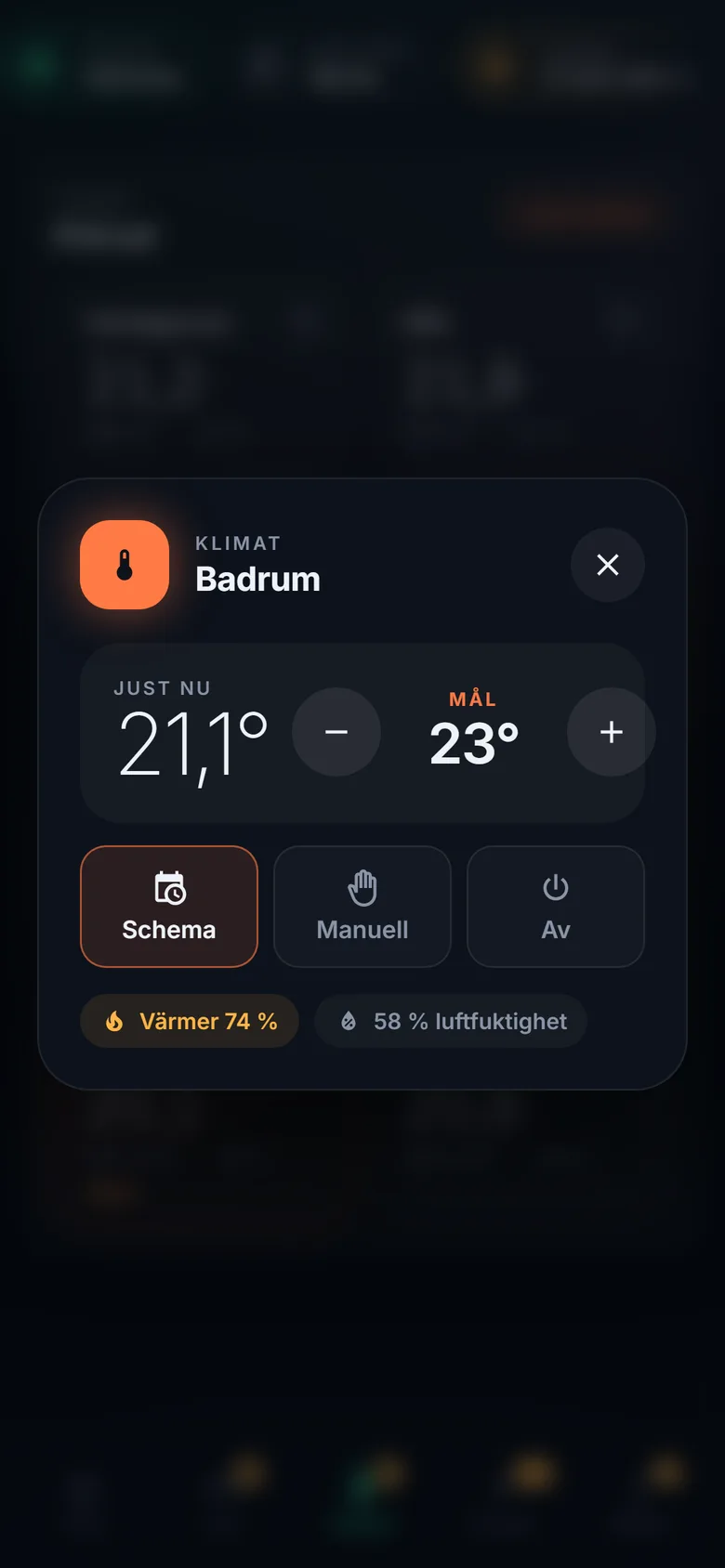
tadoEight tado heating zones with current temperature, target, humidity and how hard each radiator is working. Tap a zone to adjust in half degrees or switch between schedule, manual and off. Open windows are flagged.
Front Door & Doorbell
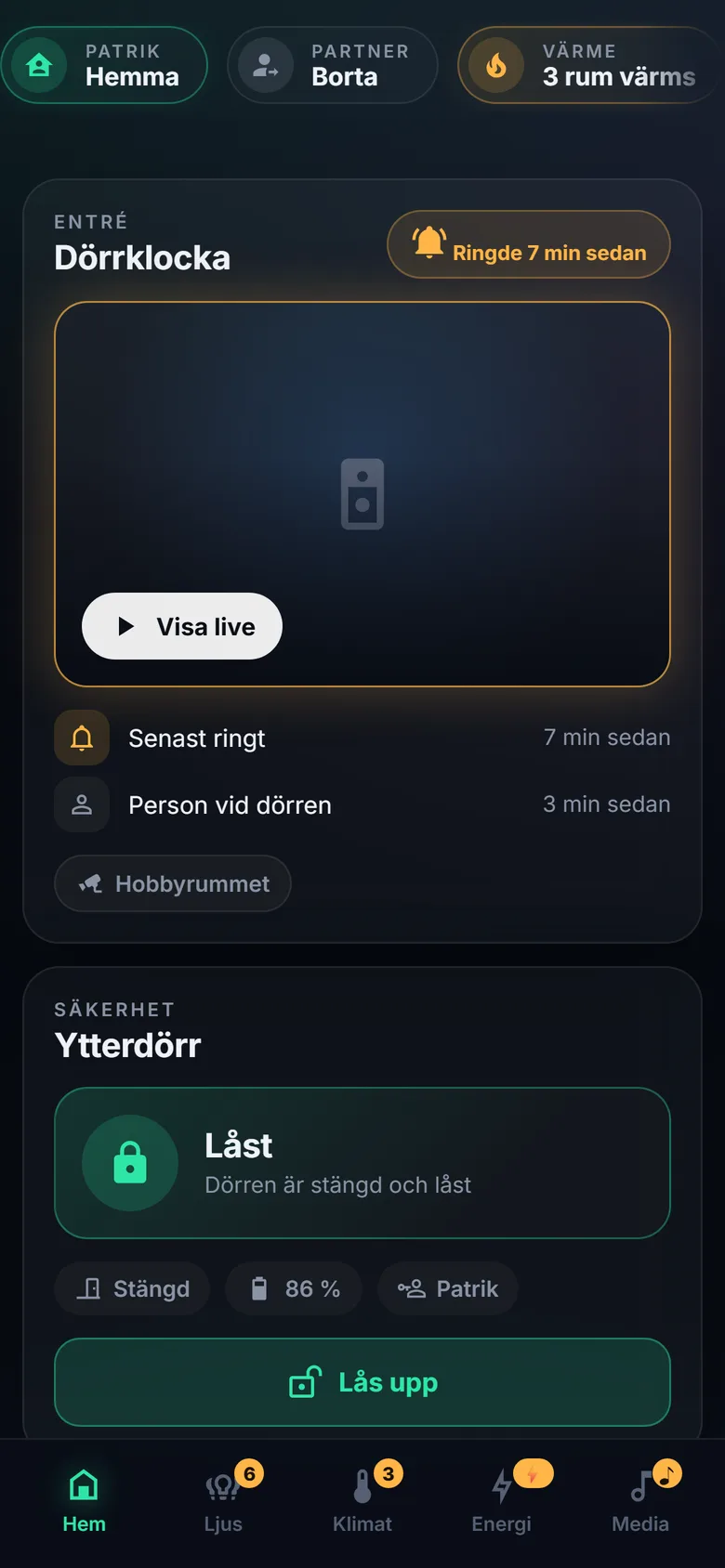
Yale · NestThe Yale lock shows locked/unlocked, door open/closed and who used it last – unlocking always needs confirmation. The Nest doorbell shows the last ring and the last person at the door; live video starts only on request, to spare the battery.
When someone rings, the live view opens full-screen on every open panel, with an “Unlock front door” button, and a notification with live video reaches the phone.
Energy & EV Charging
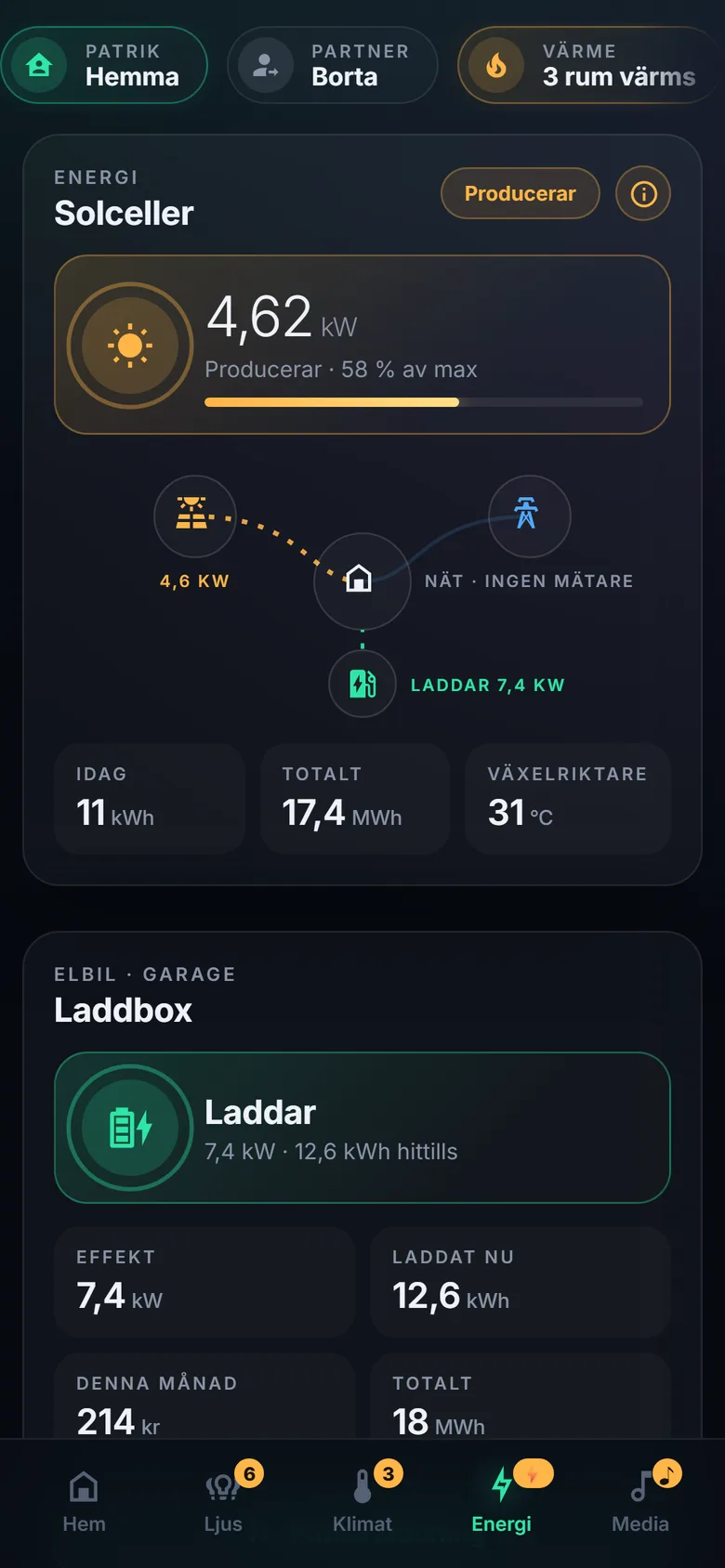
Sungrow · EaseeLive solar production from the Sungrow inverter with share of peak, today's yield and lifetime total, and an animated flow from sun to house to charger. The Easee charger shows status, power, session energy and monthly cost, with start/pause and smart charging.
Coffee
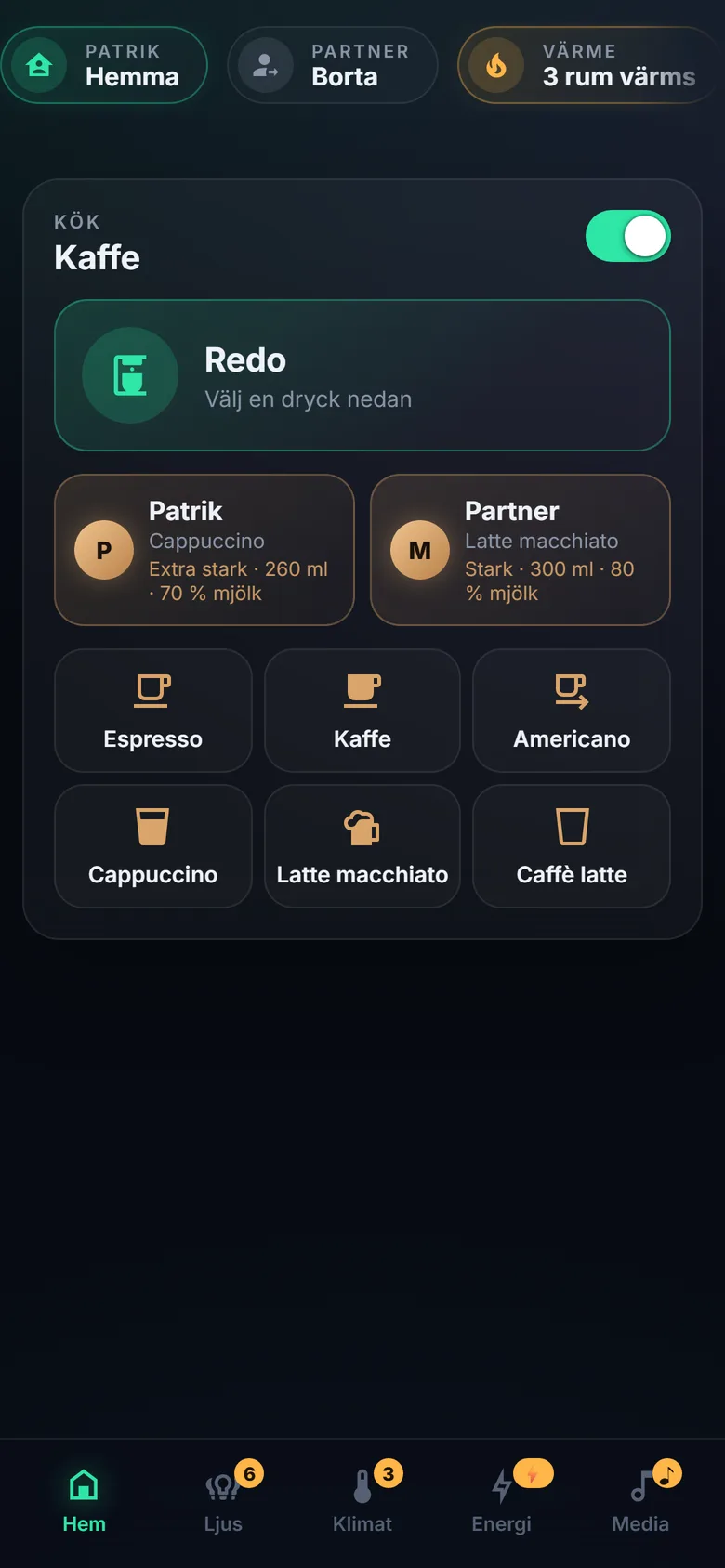
Siemens Home ConnectThe Siemens EQ.9 can be started from the panel – including personal presets with their own strength, volume and milk ratio, sent to the machine with every brew.
Calendar, Media & Shopping List
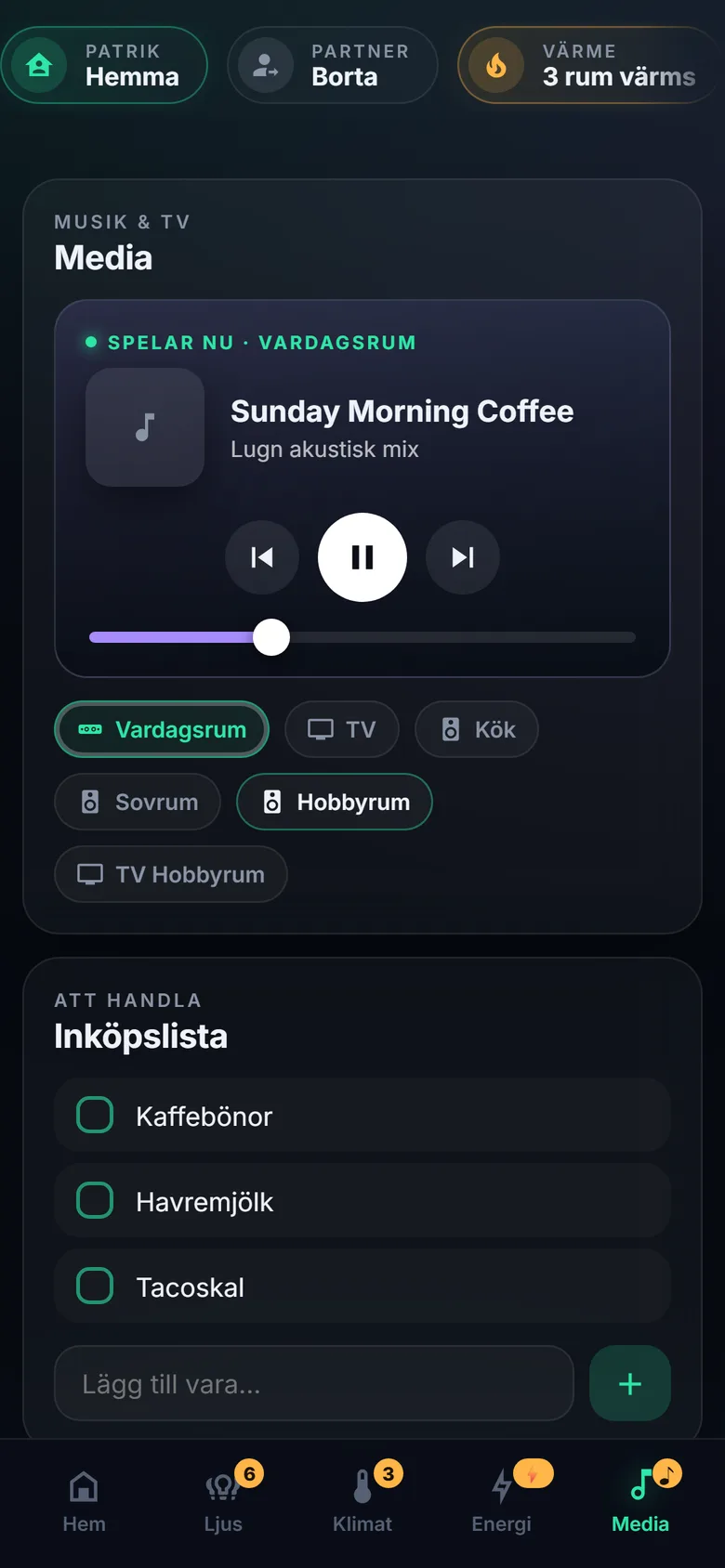
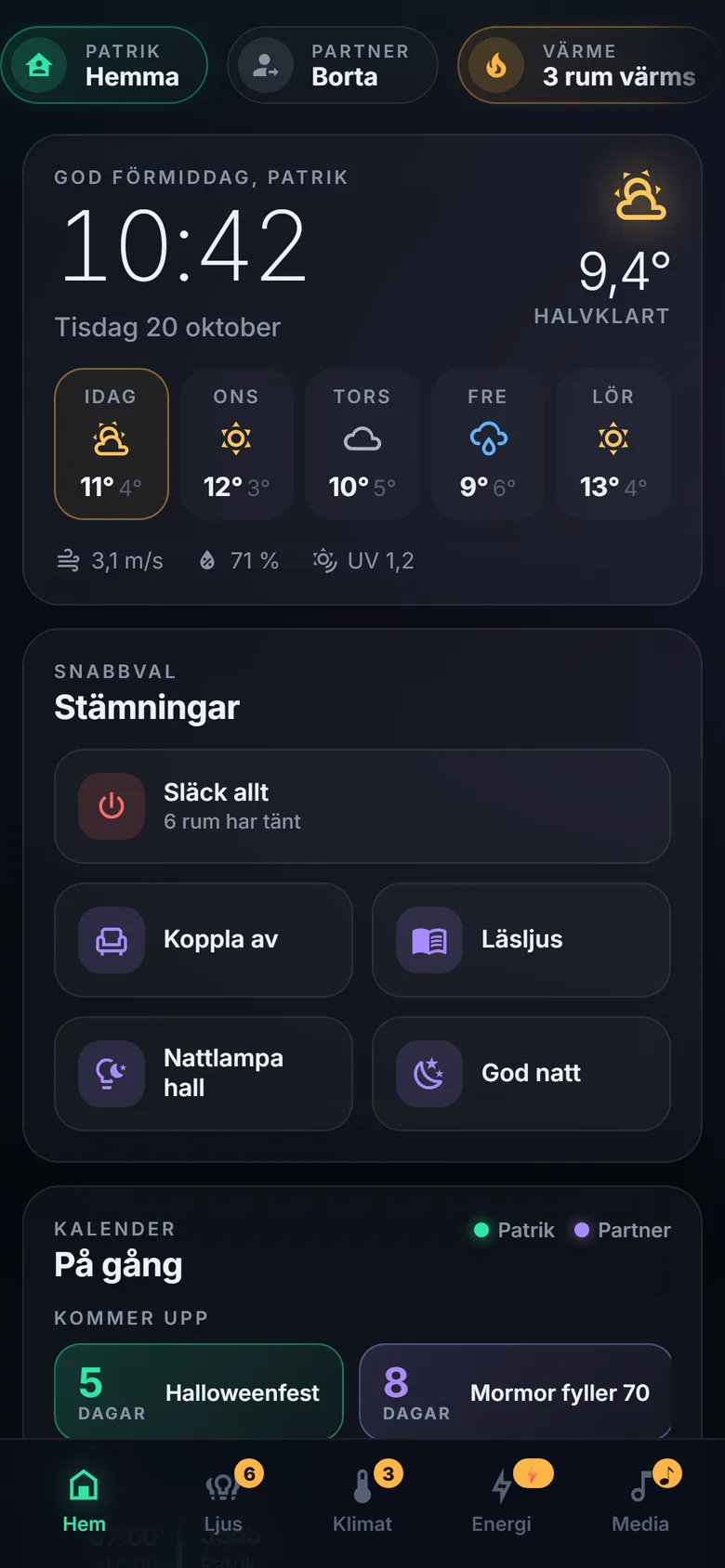
iCloud · Sonos · CastThe shared family calendar from iCloud with colour per person and a “coming up” countdown for birthdays and holidays. Sonos and Google speakers with artwork, controls and volume. A shopping list that anyone can add to from the hallway.
Responsive Architecture
The panel measures its own width rather than the screen's. Wide: three columns for the wall tablet and desktop. Medium: two columns. Narrow: a phone layout with bottom tabs (Home · Lights · Climate · Energy · Media), a swipeable status bar and compact cards. Small badges on the tabs show what is happening elsewhere – lights on, rooms heating, car charging, music playing.
Built for Real Use
- •Kiosk mode (
?kiosk) hides Home Assistant's own header and sidebar for the wall tablet. - •Demo mode (
?demo) replaces names and calendar entries with neutral placeholders – used for every screenshot on this page. - •Greets whoever is signed in; presence for each household member via the Home Assistant phone app.
- •Renders only what changed, so the panel stays smooth on modest tablets.
Complete Technology Overview
Home Assistant on a Raspberry Pi
The house's local hub – every device and integration runs through it.
One Custom Lovelace Card
A dependency-free JavaScript Web Component (~2,200 lines) with Shadow DOM and CSS Grid.
Dark “Control Room” Theme
Frosted cards and accents with fixed meanings – teal = OK, amber = active, blue = info, red = attention – set in Inter.
Live Camera via WebRTC
Home Assistant's own live-camera element, reused for the doorbell video.
Lights & Climate
Philips Hue lights and scenes; tado heating (cloud) plus a HomeKit bridge.
Lock & Doorbell
Yale lock over Bluetooth (local); Google Nest doorbell via the SDM API with Pub/Sub events.
Energy & EV
Sungrow SG8.0RT inverter over local Modbus; Easee EV charger.
Appliances, Media & Calendar
Siemens Home Connect, Sonos and Google Cast, iCloud via CalDAV, Met.no weather; presence and push via the Home Assistant Companion app.
Requirements, Design & Testing
Requirements, design direction and testing by me; code written by an AI coding assistant (Claude Code).
Structure Before Interface
Device names and rooms cleaned up first, so the interface could rely on a consistent structure.
Verified in the Real House
Every change tested at home before moving on – one device at a time.
Status & What's Next
Running Today
- Lights: 10 rooms with per-lamp dimmers and Hue scenes
- Climate: 8 tado heating zones
- Security: Yale lock and Nest doorbell with full-screen live view on ring
- Energy: Sungrow solar production and Easee EV charging
- Everyday: coffee presets, family calendar, speakers and a shared shopping list
- Layouts: wall tablet, desktop and a dedicated phone layout
Roadmap (Next)
- Wall tablet mounted in the hallway, with its own account, screen wake on motion and kiosk mode
- A dedicated energy page with an illustrated house and live flows – once an electricity meter is connected
- Alarm system and robot vacuum
- Automations that use the panel's knowledge: lights that follow presence, heating that follows the calendar